Turn incidents into clear communication

Alerting is where monitoring becomes actionable. This path helps you notify the right people, reduce noise, and share read-only status with stakeholders.

  • Enable alerts and validate that they trigger.
  • Mute noise during maintenance windows.
  • Share status updates with audit-backed history.

How-tos in this path

How to enable alerts

Member Alerts 3 min

Receive actionable notifications when checks fail.

Steps

  1. Open the project dashboard.
  2. Enable the "Send alerts by email" toggle.
  3. Trigger a recheck to validate delivery.

Outcome: Alerts are active for your user. Each member can opt in from their own dashboard.

How to mute alerts

Member Alerts 2 min

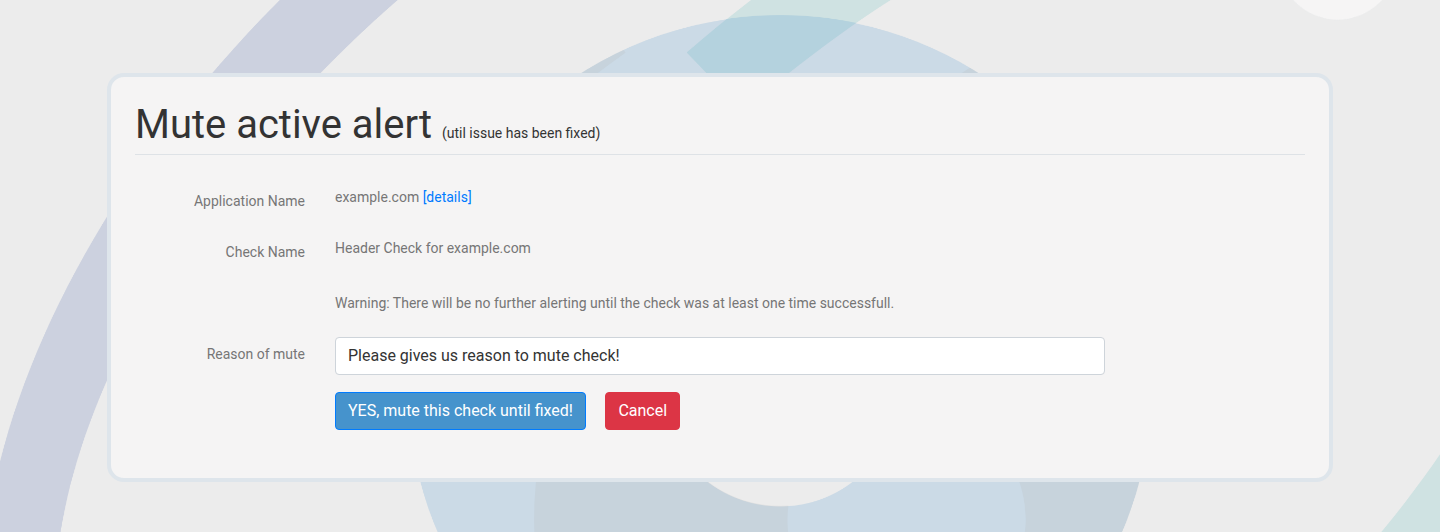
Silence notifications during planned maintenance without stopping checks.
Steps

  1. Open the mute page for a check or project.
  2. Set the mute window and reason.
  3. Save and confirm alerts are suppressed.

Outcome: Monitoring continues but notifications pause.

Mute check alerts form
Mute alerts during planned maintenance windows.

How to share a read-only view

Member Sharing 2 min

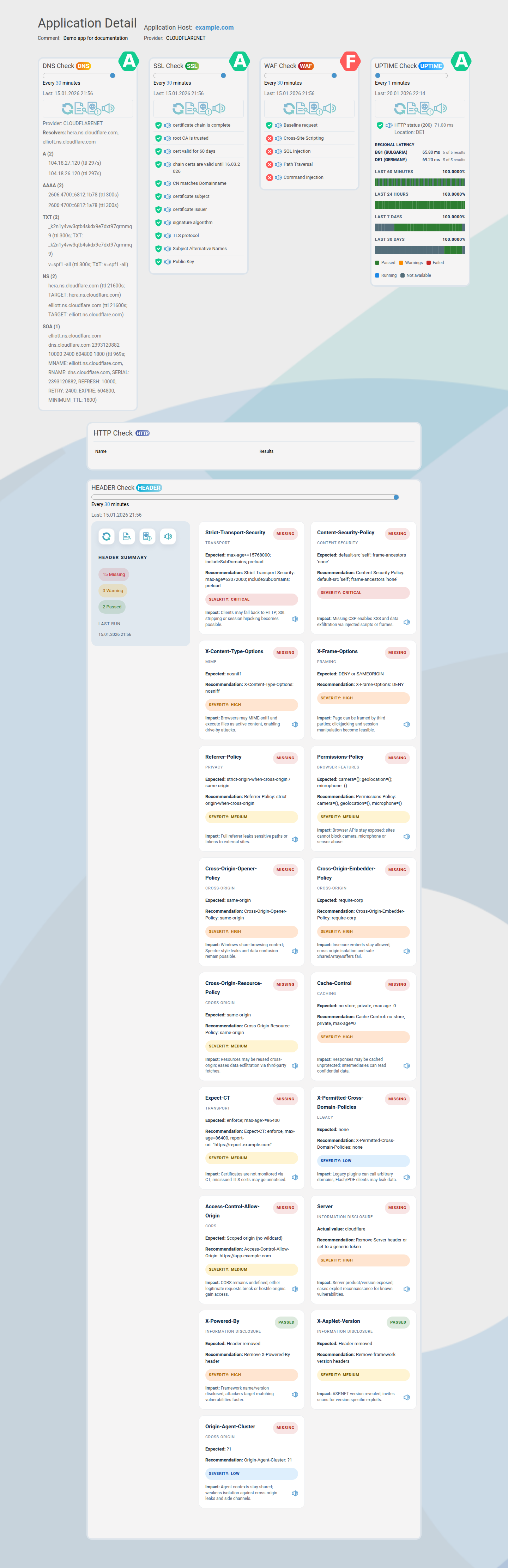
Share live status with clients or stakeholders without granting access.
Steps

  1. Generate a public share link for an application.
  2. Copy and send the link.
  3. Rotate the token if access should expire.

Outcome: External stakeholders see a read-only status page.

Public share link view
Public share links are safe and read-only.

How to audit changes

Member Audit 2 min

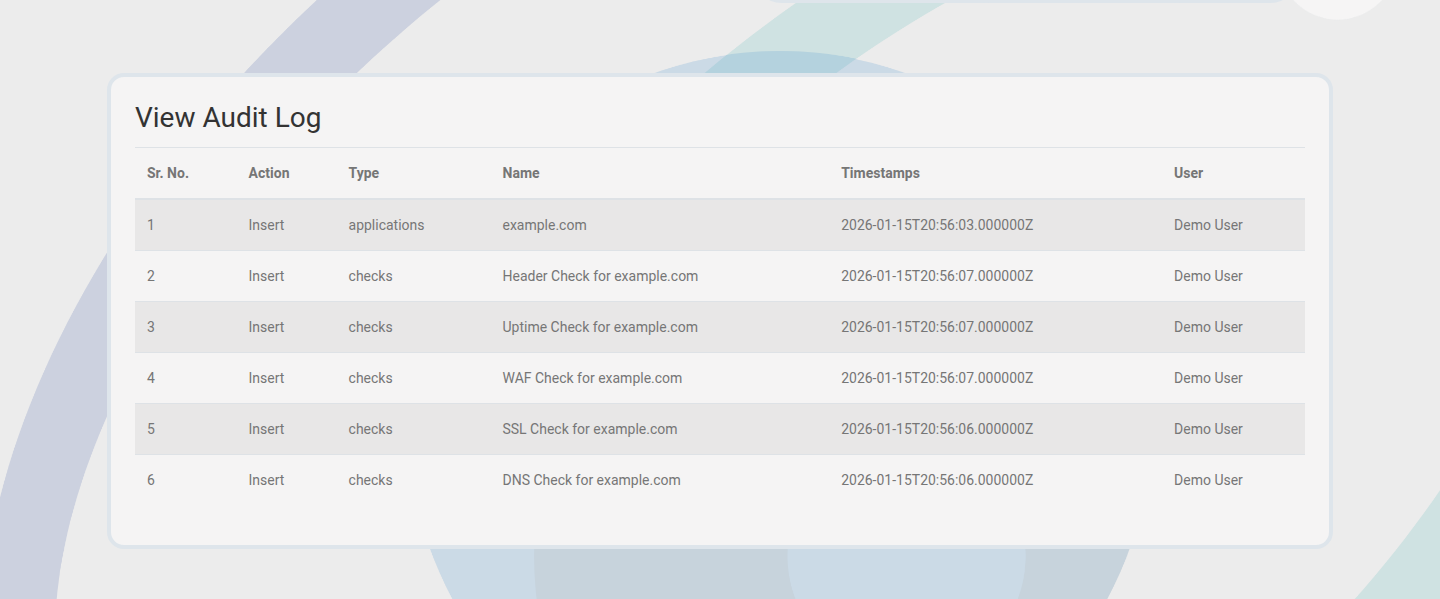
Track who changed checks, intervals, or application data.
Steps

  1. Open the audit log for the application or project.
  2. Filter by actor or action.
  3. Use the log for compliance or post-incident reviews.

Outcome: Change history stays transparent and accountable.

Application audit log view
Audit trails support incident reviews.

Next paths to explore

Use monitoring and WAF profiling to deepen evidence after alerting is set up.

WAF Profiling & Security Proof

Validate coverage before migrations.