Validate WAF coverage with evidence

WAF profiling compares a clean baseline request against a payload catalog to reveal blocks, false positives, and regressions.

  • Baseline a critical path before a migration.
  • Run payloads to validate rule coverage.
  • Use results to document security readiness.

How-tos in this path

How to run WAF profiling

Member WAF profiling Security 10-30 min

Test payload libraries against a baseline on critical paths.

Steps

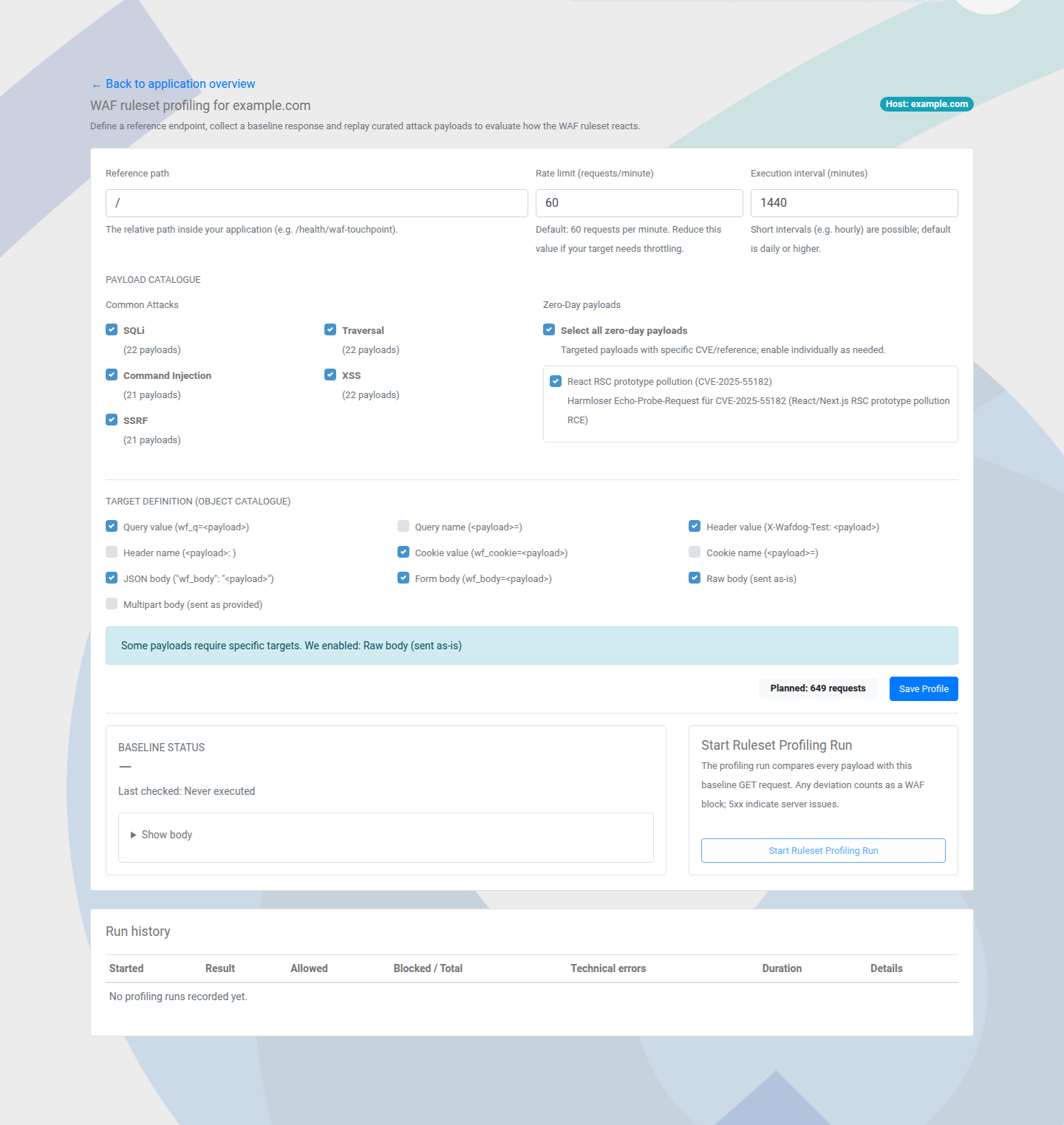
  1. Configure the profiling path and baseline request.
  2. Start the run and monitor progress.
  3. Compare baseline vs payload outcomes.

Outcome: You can validate WAF coverage and false positives.

WAF profiling setup view
Profiling compares baseline and payload behavior.

How to interpret profiling results

Member WAF profiling Insights 5 min

Translate results into migration proof and tuning actions.

Steps

  1. Open the latest profiling run for the application.
  2. Review blocked, passed, and anomalous payloads.
  3. Document findings for tuning or migration sign-off.

Outcome: Profiling output is ready for stakeholders.

Next paths to explore

Pair WAF profiling with monitoring history and alerting to complete your evidence trail.

Alerts & Incident Response

Communicate incidents with read-only status.