Monitor what matters

This path focuses on custom monitoring, fast validation, and transparent uptime history. It is ideal for proving SLA health during migrations or incidents.

  • Create custom checks for critical paths and APIs.
  • Trigger rechecks instantly after a fix.
  • Use history views to explain flapping and trends.

How-tos in this path

How to create custom checks

Member Monitoring 3 min

Monitor login paths, APIs, or health endpoints beyond the defaults.

Steps

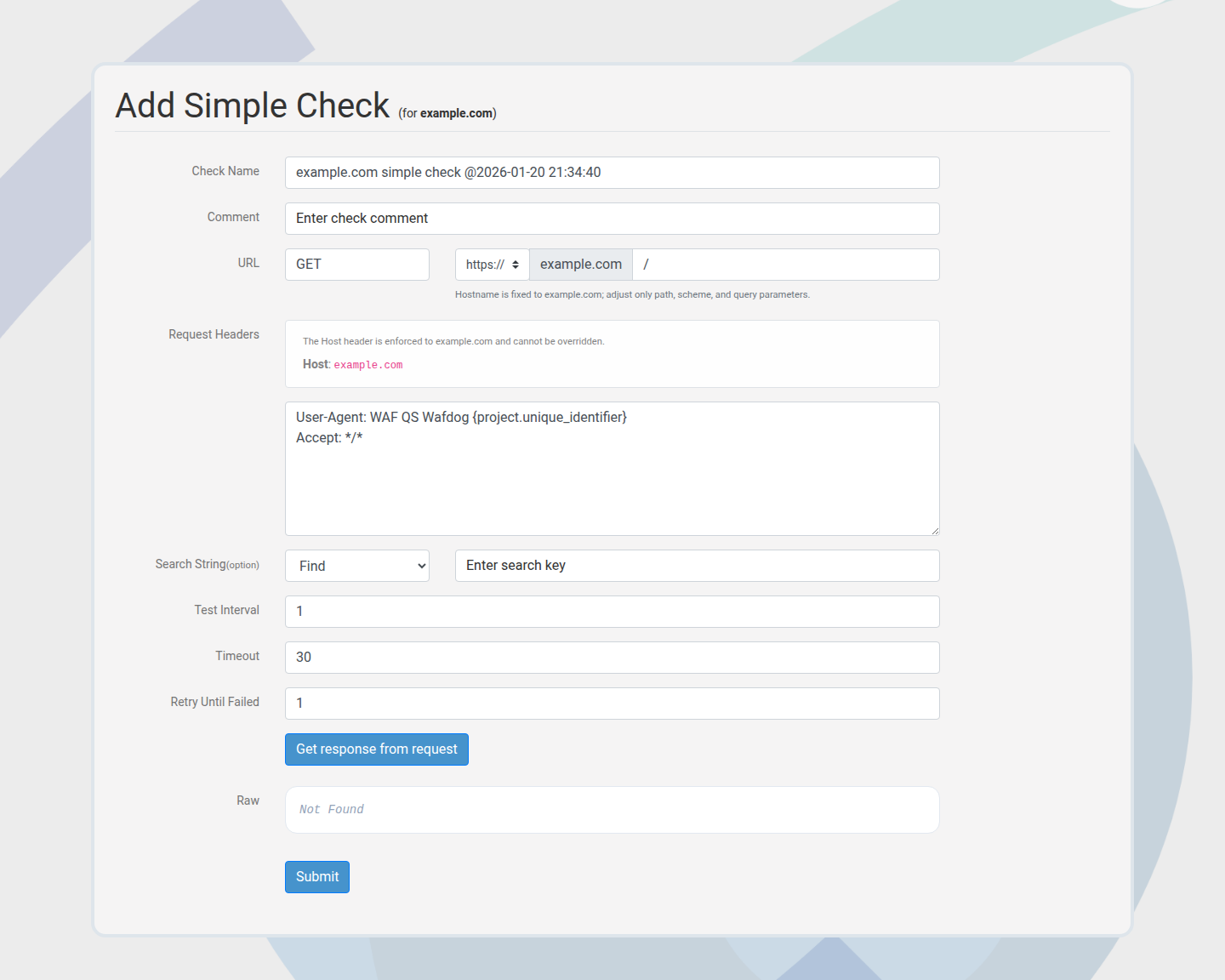
  1. Choose Add check on an application.
  2. Select Simple Check and enter the path.
  3. Save and confirm the schedule.

Outcome: Custom checks run on the defined interval.

Add simple check form
Custom checks cover critical routes fast.

How to trigger checks now

Member Monitoring 1 min

Validate a fix instantly without waiting for the next schedule.

Steps

  1. Open the check detail view.
  2. Click Recheck or Recheck all.
  3. Review the latest result in history.

Outcome: Fresh results confirm the mitigation.

How to analyze history

Member Insights 4 min

Use history buckets to detect flapping, regressions, or downtime patterns.

Steps

  1. Open the check history view.
  2. Review bucket summaries for recurring failures.
  3. Use the timeline to correlate incidents.

Outcome: Stability trends are easy to explain.

How to use Member Quickcheck

Member Testing 2 min

Run ad-hoc checks with custom headers without saving them.
Steps

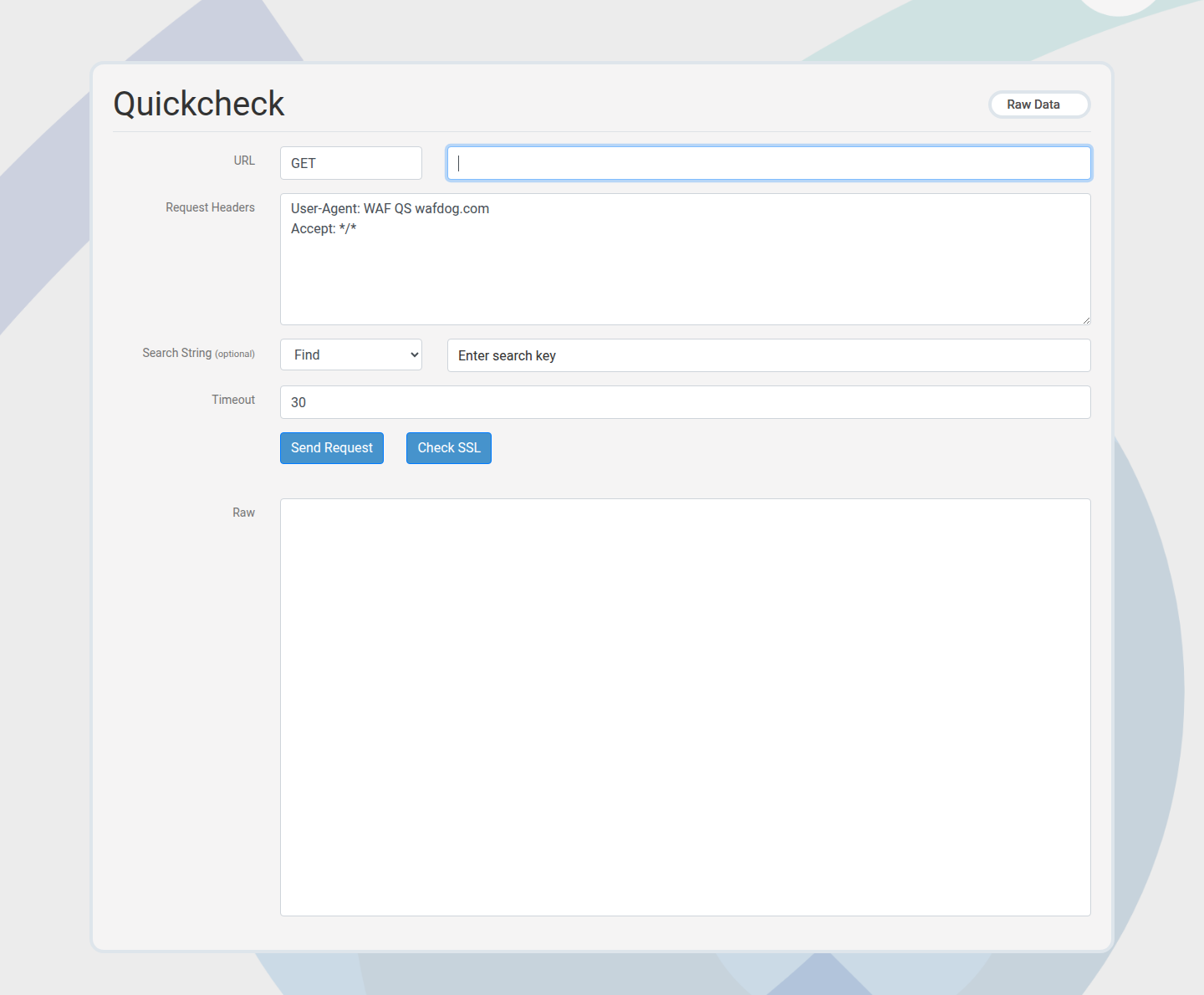
  1. Open Member Quickcheck in the portal.
  2. Enter the URL and optional headers.
  3. Run the check and review the raw response.

Outcome: Immediate validation without creating a check.

Member quickcheck form
Member Quickcheck is a fast, ad-hoc validation.

Next paths to explore

Move from monitoring into alerting, incident communication, and WAF proof.

Alerts & Incident Response

Enable alerts, reduce noise, and share status.

WAF Profiling & Security Proof

Prove WAF coverage before migrations.